Your TikTok LIVE inside a 3D studio
A 3D scene moves behind you, fire and lasers burst in front of you when gifts land — and your real room lights and the TV behind you follow the same moment.
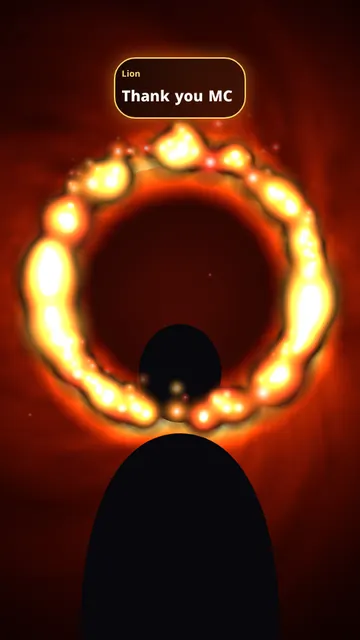
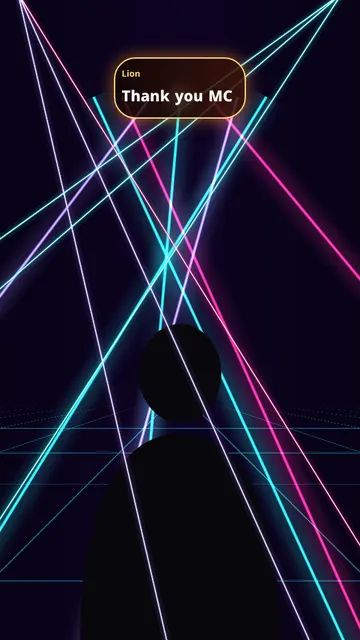
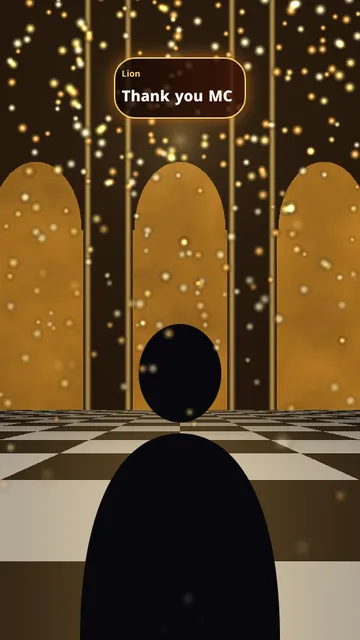
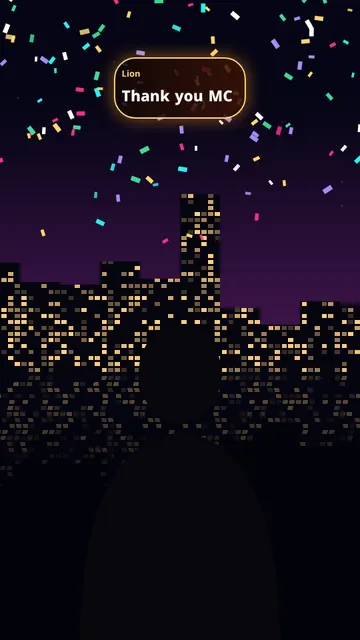
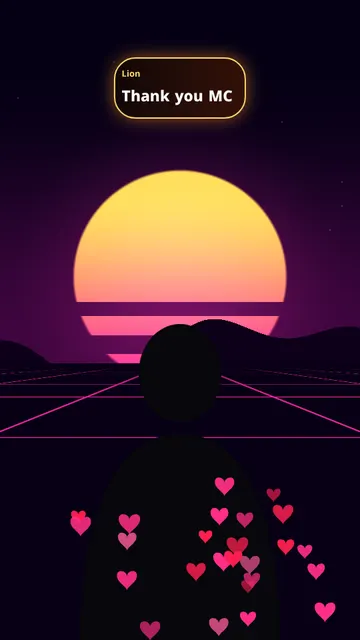
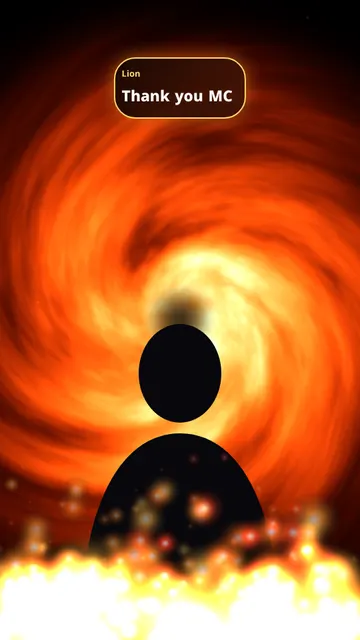
Pictures from the app (the silhouette stands for you). On your LIVE the scenes move and react to gifts.
How it works
- New to MC Stage: install it and press «Try MC Studio FX» on the first screen. Already using MC Stage with a code: message us on WhatsApp for your free 3-day Studio FX code.
- Copy the two links into TikTok LIVE Studio or OBS: BACK under your camera, FRONT on top.
- Pick a scene, link gifts to effects, tap «Test» — then go LIVE.
🎁 Gifts move the whole studio
Lion → fire portal and red lights. Universe → laser hall and every light flashing. You choose each gift, the effect, the light show and the scene.
🔋 Combo energy bar
50 roses in a row don’t make 50 small sparks: the studio charges up and bursts gold at the top — supporters keep going to see it.
🙏 Big moments, one at a time
Big gifts get a short show with the supporter’s name. They wait their turn, so the stream never turns into a mess.
🧪 Test before the LIVE
Try any gift and see it on LIVE Studio, your lights and the TV — no real gift needed. A small TEST tag shows so nobody is fooled.
🧊 Your own 3D studio
Import a .glb from Blender or Spline, a video loop or a picture. Everything stays on your PC.
How to make your own 3D background →📱 Phone operator & Stream Deck
Your operator runs scenes, effects and lights from a phone on the same Wi-Fi (with a PIN), or from Stream Deck buttons.
Your room lights follow the gifts
Give each light a zone — left, right, back, ceiling — and the light shows move around your room. Controlled on your own Wi-Fi: no cloud, no delay.
- Govee
- Philips Hue
- WLED
- Art-Net / DMX
- WiZ
- Yeelight
- Magic Home
Govee: turn on «LAN Control» in the Govee app. Hue: needs the Hue Bridge. More brands are coming.
Light on your PC — you choose the quality
⚡ Built light
No heavy game engine. Max 30 frames a second, a limited drawing size, and zero work when nothing moves. Your camera background is removed by LIVE Studio / OBS, not by us.
🟢🟡🔴 PC check
The app measures your PC and tells you: smooth, may stutter, or too heavy — with what to do. Low · Medium · High · Ultra: your choice, your responsibility.
🛡 Protect the LIVE
If drawing gets very slow during the LIVE, the quality drops one step by itself. Switch it off to keep full quality no matter what.
Guide: Low/Medium — most laptops with built-in graphics. High — a separate graphics card. Ultra — a strong graphics card. The PC check in the app tells you for sure. Windows 10 / 11.
Try MC Studio FX free for 3 days
New to MC Stage: download it, sign in with TikTok and press «Try MC Studio FX» on the first screen. Already a MC Stage customer: message us on WhatsApp and we send your 3-day Studio FX code. No payment for the trial.
$19 / month · $190 / year (2 months free)
Already an MC Stage customer? Code MCSTUDIO = $14 / month until 31 Dec 2026.
Questions
Do I need a green screen?
No. TikTok LIVE Studio can remove your background by itself; OBS can use a background-removal filter. A green screen gives the cleanest edges if you have one.
Will it make my PC slow?
It is built to be light: drawn at a limited size, at most 30 frames a second, and it stops when nothing moves. You pick the quality; a PC check tells you if your PC runs it smoothly, and «Protect the LIVE» lowers the quality by itself if drawing gets slow.
Which lights work?
Govee (with LAN control on), Philips Hue (with the Hue Bridge), WLED strips, Art-Net / DMX studio lights, WiZ, Yeelight and Magic Home. They are controlled on your own Wi-Fi, nothing goes through the internet.
Can I use my own 3D studio?
Yes: import a .glb from Blender or Spline, a looping video (.mp4 / .webm) or a picture. Heavy scenes can be exported as a video loop for weaker PCs.
Is it allowed on TikTok?
The effects react only to real gifts and likes; there are no fake gifts and no links outside TikTok. «Safe flashing» keeps light flashes under 3 a second.